Step 1
Use the GitHub template
The template ships Hugolify v2 ready to run, with the core theme, the design system, the icons and the admin.
Hugolify v2
Open-source Jamstack solution for building easily a fast, as accessible as possible and low carbon website, edited with the headless CMS of your choice.
Ethical
Accessibility first
Code ready, keyboard navigation…

Web performance
PageSpeed, defer javascript…

Low carbon
Responsive images, lazy loading…

GDPR compliant
Cookie less, Google less…

Content
Pages, persons, posts, projects… And taxonomies like categories, tags, types, authors… Each one is a Hugo module, to import when your site needs it.

Modular
Titles, editorials, galleries, FAQ, charts, forms… Editors compose each page from blocks, and choose their look from the CMS.

Hugolify v2
The core theme renders the HTML and leaves the style to a module of its own. Pick one, or swap it later without touching a template.
Design system
Framework-free CSS built on design tokens, with light and dark modes.
Bootstrap
Bootstrap 5, its SASS variables and JavaScript components, with the rendering of v1.
Icons
Lucide and Simple Icons, built into one stylesheet holding only the icons a page uses.
Headless CMS
With the built-in configuration file builder in Hugolify Admin, you no longer need to create this file manually. Customizing fields is also simplified thanks to a dedicated parameters file.
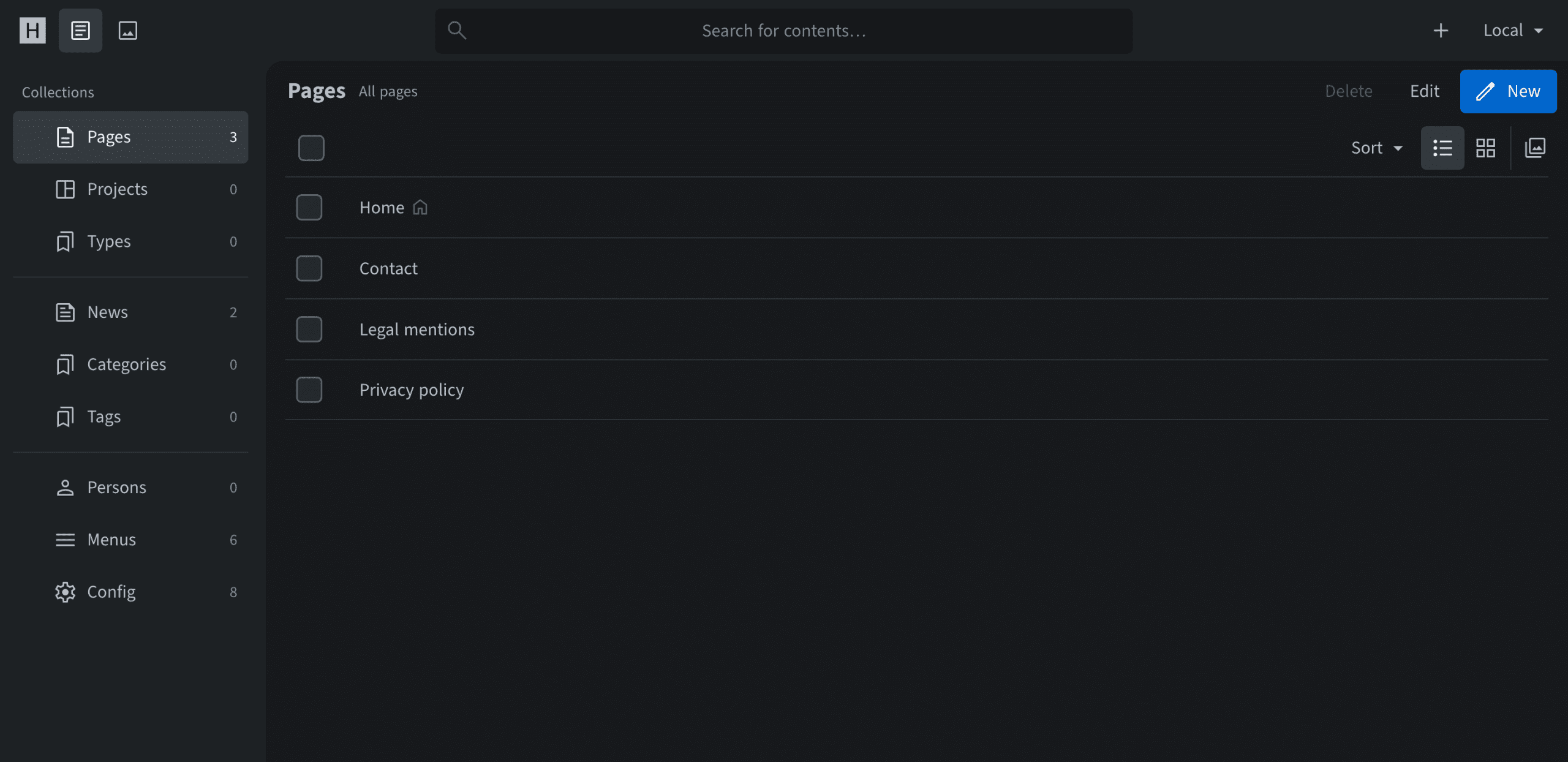
Example of content management with Sveltia CMS
The same project runs any of them, from one configuration file that Hugolify writes for you.


Getting started
Step 1
Use the GitHub template
The template ships Hugolify v2 ready to run, with the core theme, the design system, the icons and the admin.
Step 2
Pick your modules
Import the types of content and the taxonomies your site needs, each one a Hugo module.
Step 3
Choose your CMS
Set one param, and Hugolify Admin writes the configuration of the CMS from your modules.
Step 4
Deploy
Publish on Netlify, Cloudflare Pages, GitHub Pages or Render, among other static hosts.
Docs
How to
FAQ
Yes. Hugolify is open-source under the MIT license, free for personal and commercial projects.
Sveltia CMS is the preferred one, with the most features. Decap CMS suits a site using Netlify Identity, Pages CMS a repository on GitHub. Switching later only changes one param.
The design system is framework-free and built on design tokens, the choice of the GitHub template. Bootstrap keeps the rendering and the SASS variables of Hugolify v1.
On any static host. The docs come with guides for Netlify, Cloudflare Pages, GitHub Pages and Render.
Follow the migration guide. The v1 documentation stays online.
GitHub
The template relies on four modules, among more than sixty Hugolify repositories.
hugolify-theme-design-system
Styling module built on design tokens, CSS and JavaScript.
hugolify-theme-bootstrap
Styling module built on Bootstrap 5, SASS and JavaScript.
Support our work and help us improve this project by becoming a sponsor or giving us a star on our GitHub repositories.